
By Team AIGN, Updated June 2026
Looking for the best AI model to create mature women and MILF content in 2026? This guide covers the top 5 neural networks that actually deliver realistic results, from free open-source tools to premium options. Whether you want anime-style MILF characters or photorealistic mature women, these are the models that work right now.
Creating convincing mature female characters with AI has always been harder than younger subjects. Most models default to generic young faces because their training data skews that way. But in 2026, several models have solved this problem. Pony Diffusion XL v6 leads the pack with its built-in age diversity, while specialized LoRA models and Flux-based tools now produce photo-grade results that were impossible just a year ago. This guide breaks down exactly which tools to use, how to set them up, and the prompts that get the best results.
Top 5 AI Models for MILF and Mature Women in 2026
1. Pony Diffusion XL v6 — Best Overall
Pony Diffusion XL v6 is the best free option for creating mature women and MILF content. It is an open-source model built on Stable Diffusion XL, and it handles age diversity better than any other free model. The built-in training data includes a wide range of adult ages, so you do not need heavy prompting to get convincing mature faces.
Why it wins:
- Built-in age diversity — mature faces look natural without extra work
- Free to use on Hugging Face with ZeroGPU
- No email or signup required for basic generations
- 15-20 free generations per day on most platforms
- Works for both realistic and anime styles
- Strong community with thousands of custom LoRA models on Civitai
Best prompts for mature women:
mature female, 40yo, elegant woman, confident expression, detailed face, wrinkles around eyes, natural makeup, sophisticated hairstyle, professional attire, office setting, soft lighting, from front, medium shot
Best prompts for MILF style:
mature female, 35yo, curvy body, motherly appearance, warm smile, long wavy hair, casual home clothes, kitchen background, morning light, full body, relaxed pose
Setup: Run on Hugging Face ZeroGPU, or download and run locally with ComfyUI or Forge. Use CFG 7, DPM++ 2M Karras, 28 steps, 1024×1024.

2. Pony Realism LoRA — Best for Photorealistic Mature Women
If you want photo-realistic mature women that look like real photographs, the Pony Realism LoRA is the best add-on. It is a small file that sits on top of Pony XL and pushes the output toward realistic skin texture, natural aging signs, and believable lighting.
Why it wins for realism:
- Transforms Pony XL output from anime-adjacent to photorealistic
- Preserves mature facial features better than base Pony alone
- Lightweight — only a few hundred megabytes
- Free download from Civitai
- Works with the same prompts as base Pony
How to use:
- Download Pony Realism LoRA from Civitai
- Place it in your LoRA folder in ComfyUI or Forge
- Load it at strength 0.6-0.8 alongside Pony XL base model
- Use the same mature prompts as base Pony
- Add
photorealistic, dslr, 8k uhd, film grainto the quality tags
Recommended prompt:
score_9, score_8_up, score_7_up, source_furry, source_pony, mature female, 45yo, elegant woman, subtle wrinkles, gray streaks in hair, confident smile, detailed skin texture, natural lighting, from front, portrait shot, photorealistic, dslr, 8k uhd
3. NSFW Flux Models — Best for Premium Photorealism
Flux by Black Forest Labs is the most advanced AI image model in 2026. When combined with NSFW-tuned variants, it produces the highest quality mature women images available. The two best options are Pixelwave Flux and Lustify Flux, both community-tuned versions that handle adult content well.
Why Flux wins for top quality:
- Best skin texture and lighting of any model
- Natural language prompts — write like you are describing a photo
- Handles complex scenes and multiple characters better than SDXL
- Aging details look natural, not exaggerated
Downside: Needs more power. Minimum 12GB VRAM for local use, so most users run it through cloud services like RunPod.
Best prompt for Flux mature women:
masterpiece, best quality, 8k uhd, raw photo, photorealistic, a beautiful 42 year old woman with shoulder-length auburn hair and laugh lines around her eyes, wearing a silk blouse, standing in a modern living room, soft afternoon light from large windows, confident expression, from front, medium shot, detailed skin texture, realistic pores, professional photography
Setup: Use RunPod or similar cloud GPU service. Set CFG 3.5-4.5, 30-50 steps, 1024×1024 or higher.
4. ADetailer + Pony XL — Best for Face Detail
ADetailer is not a model itself but a tool that fixes faces after generation. It is essential for mature women because AI often struggles with aging details. ADetailer runs a second pass over the face region, adding wrinkles, skin texture, and correcting any distortion.
Why you need it:
- Fixes blurry or melted faces common in base AI output
- Adds realistic aging details like crow’s feet and smile lines
- Runs automatically after your main generation
- Free and easy to install in ComfyUI or Forge
How to use:
- Install ADetailer extension in Forge or ComfyUI
- Enable it in your workflow settings
- Set face detection confidence to 0.5-0.7
- Use the same model for the detail pass (Pony XL or Realism LoRA)
- Run your generation normally — ADetailer fixes faces automatically
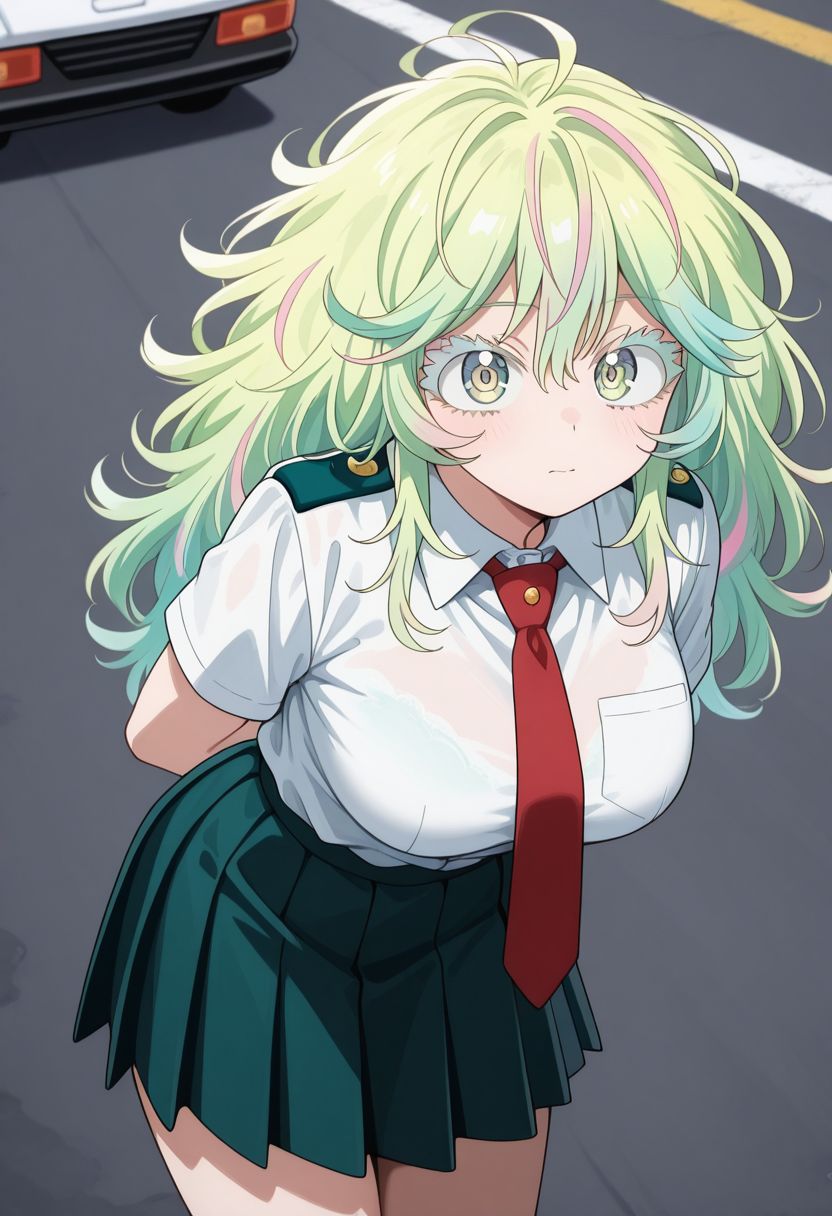
5. Mature Female Concept LoRA — Best for Specific Looks
This LoRA is trained specifically on mature female archetypes. It helps when you want a very specific look: the elegant executive, the warm mother, the confident cougar, or the playful mature woman. It works as a secondary LoRA alongside Pony Realism.
Best for:
- Specific mature character types
- Consistent face shapes across multiple generations
- Adding personality traits to mature subjects
How to use: Load at strength 0.4-0.6 alongside Pony Realism LoRA. Do not go above 0.7 or faces start looking samey.
Understanding MILF Archetypes in AI Prompting
Different users want different kinds of mature women. Here are the most common archetypes and the exact prompts that produce them.
Anime MILF
For anime-style mature women, use Pony XL with anime-focused tags:
score_9, score_8_up, source_anime, source_pony, mature female, 35yo, motherly appearance, gentle smile, long hair in bun, apron, kitchen background, warm lighting, anime style, detailed background
Realistic MILF
For photorealistic results, add Realism LoRA and photo terms:
score_9, score_8_up, source_pony, mature female, 38yo, curvy body, warm smile, wavy brown hair, casual sundress, suburban backyard, golden hour lighting, from front, full body, photorealistic, dslr, detailed skin
Elegant Mature Woman
For sophisticated, high-class looks:
mature female, 50yo, elegant woman, silver hair in updo, pearl earrings, black evening dress, opera house interior, chandelier lighting, from side, medium shot, confident posture, refined features

GILF / 50+ Women
For women over 50, be specific about aging signs:
mature female, 55yo, gray hair, laugh lines, warm eyes, comfortable cardigan, reading glasses, cozy living room, soft lamp light, sitting in armchair, from front, portrait, natural aging, dignified expression
Cougar
For the attractive, confident older woman archetype:
mature female, 42yo, athletic body, confident smirk, styled blonde hair, fitted red dress, upscale bar background, neon lighting, from below, low angle, full body, seductive pose, high heels
Hot Mom / Playful Mature
For the playful, approachable mother figure:
mature female, 36yo, fit body, playful smile, ponytail, yoga pants and tank top, sunny kitchen, morning light, leaning against counter, from front, medium shot, casual, approachable
Hardware and Setup Guide
Minimum Requirements
- Pony XL: NVIDIA GPU with 8GB VRAM (RTX 3060 12GB recommended)
- Flux: 12GB+ VRAM, or cloud GPU via RunPod
- Storage: 10GB free space for models and LoRAs
- RAM: 16GB system RAM minimum
Free Cloud Options
If you lack a powerful GPU, these free options work:
- Hugging Face ZeroGPU: Free daily quota for Pony XL
- Tensor.art: Free generations with Pony and Illustrious models
- RunPod: Paid but affordable cloud GPU rental
- Google Colab: Free tier available with limitations

Recommended Software Stack
- ComfyUI or Forge: Free interfaces for running models
- Pony Diffusion XL v6: Base model (free download)
- Pony Realism LoRA: For photorealistic output
- Mature Female Concept LoRA: For specific archetypes
- ADetailer: For face fixing (free)
Step-by-Step: Creating Your First Mature Woman Image
Step 1: Choose Your Base Model
Start with Pony Diffusion XL v6. It is free, works on most hardware, and has the best built-in age diversity. Download it from Hugging Face or Civitai.
Step 2: Add Realism LoRA (Optional)
If you want photorealistic results, download Pony Realism LoRA from Civitai. Place it in your LoRA folder and load it at 0.6-0.8 strength.
Step 3: Write Your Prompt
Use the four-part structure: quality tags first, then subject age and body, then outfit and pose, then environment and camera. See the archetype examples above.
Step 4: Set Your Generation Parameters
- Resolution: 1024×1024 for portraits, 832×1216 for full body
- Steps: 25-30 for Pony, 30-50 for Flux
- CFG: 7 for Pony, 3.5-4.5 for Flux
- Sampler: DPM++ 2M Karras
- CLIP skip: 2 for Pony
Step 5: Generate and Refine
Run a batch of 4-6 images with the same prompt but different seeds. Pick the best one and refine: adjust the prompt, tweak LoRA strength, or add ADetailer for face fixes.
Step 6: Post-Process
Use hires fix for extra detail, or run an upscaler like 4x-UltraSharp. For faces, ADetailer handles most issues automatically.
Common Problems and Fixes
| Problem | Cause | Fix |
|---|---|---|
| Face looks too young | Age tags not strong enough or buried in prompt | Move age tags to front, use mature female and specific age like 45yo |
| Wrinkles look exaggerated | Too many aging tags or wrong LoRA strength | Reduce LoRA strength to 0.5-0.6, remove redundant aging tags |
| Body looks unnatural | Mixing anime and photo tags | Pick one style: anime tags for Pony anime, photo tags for Realism LoRA |
| Face is blurry or distorted | Base model face weakness | Enable ADetailer, increase face detection confidence |
| Images look too similar | Same seed or too strong LoRA | Use random seeds, reduce LoRA strength, vary prompts |
| Dark or flat lighting | Missing lighting tags | Add specific lighting: soft natural light, golden hour, studio lighting |
Where to Find More Resources
Civitai
The largest community for AI models and LoRAs. Search for “mature female,” “milf,” or “realism” to find thousands of user-uploaded models. Check the example images and community ratings before downloading.
Hugging Face
Download base models like Pony Diffusion XL v6 and run them through ZeroGPU for free generations. The model cards include recommended settings and example prompts.
Discord Communities
Many model creators run active Discord servers. Search for “Pony Diffusion” or “Stable Diffusion NSFW” to find real-time help, prompt sharing, and LoRA recommendations.
Frequently Asked Questions
What is the best free AI model for MILF content?
Pony Diffusion XL v6. It is free, runs on modest hardware, and has the best built-in age diversity. For photorealistic results, add the free Pony Realism LoRA from Civitai.
Do I need a powerful computer?
For Pony XL, an RTX 3060 with 12GB VRAM is enough. For Flux, you need 12GB+ VRAM or use a cloud service like RunPod. Many users run Pony XL for free through Hugging Face ZeroGPU with no local GPU at all.
Can I create realistic mature women without paying?
Yes. Pony XL + Realism LoRA + ADetailer is a completely free stack that produces photo-grade results. The only cost is your time learning the tools.
What is the difference between MILF and mature female prompts?
MILF prompts usually include body type and situational context like curvy body, motherly appearance, home setting. Mature female prompts focus on age and elegance like 45yo, elegant woman, professional attire. Both work on Pony XL — just adjust the tags to match your goal.
How do I make faces look older and more realistic?
Use ADetailer for automatic face fixing. In your prompt, include specific aging details: subtle wrinkles, crow's feet, laugh lines, natural skin texture. Avoid overdoing it — one or two aging tags is enough.
Is it legal to generate MILF content with AI?
Generating fictional adult characters is legal on most platforms. The key rules are: no real minors, no real identifiable people without consent, no illegal content. All major platforms including Civitai allow fictional adult content.
What resolution should I use?ai hentai chat
1024×1024 for portraits and medium shots. 832×1216 for full body images. Use hires fix for extra detail. Never go below 768×768 or faces will distort.
Do I need both Realism LoRA and Mature Female LoRA?
No, start with just Realism LoRA. It handles most mature female looks well. Add Mature Female Concept LoRA only if you need a very specific archetype that Realism LoRA is not capturing.
ai slut
Why do my mature women look like young faces with gray hair?
This is the most common problem. It happens when age tags are too weak or placed too late in the prompt. Move mature female and the specific age to the front of your prompt. Use ADetailer to fix facial structure. Add detailed face, realistic proportions to your quality tags.
Can I use these models for GILF content (women 50+)?
Yes. Pony XL handles ages up to 60+ well. Use specific tags like 55yo, gray hair, dignified expression, natural aging. The Realism LoRA preserves aging details better than base Pony alone.
Final Verdict: Best AI Model for Mature Women in 2026
For most users, Pony Diffusion XL v6 + Pony Realism LoRA is the unbeatable combination. It is free, runs on accessible hardware, and produces results that rival paid services. The built-in age diversity means you spend less time fighting the model and more time creating.
If you want the absolute best photorealism and do not mind paying for cloud GPU time, Flux with Pixelwave or Lustify delivers unmatched skin texture and lighting. But for 90% of users, the Pony stack is more than enough.
The key to great mature women AI art is not the model alone — it is the combination of the right model, the right LoRA, proper prompting, and face fixing with ADetailer. Master these four elements and you will produce gallery-quality results within your first week.
Last updated: June 2026. Tested on Pony Diffusion XL v6, Pony Realism LoRA, Pixelwave Flux, Lustify Flux, and Mature Female Concept LoRA.