

Last tested: July 2026. A practical guide to the best NSFW AI text-to-image generators in 2026, what they actually run under the hood, how to write prompts that work, where the free tier limits sit, and which tool fits your specific use case. Every recommendation here was verified hands-on in July 2026 across desktop and mobile.
If you want one image fast with no friction, jump straight to our free generator, Flux-based output, no login, no watermark. The rest of this article is for users who want to understand the category, pick the right tool for their specific use case, and get the most out of whichever they choose.
Text-to-image is the original generative AI workflow: you write a description in natural language or tagged shorthand, the model produces an image that matches it. In 2026 the dominant open-source models are Flux (Black Forest Labs) and Stable Diffusion XL, plus their many community fine-tunes. Closed commercial models like DALL-E and Midjourney are larger but neither permits NSFW output, so they are not part of this guide.
The text-to-image category specifically excludes image-to-image (which transforms an existing input image), image-to-video (which animates a still), and inpainting (which edits part of an image). Each of those is a separate workflow with different tools. See our img2img guide and image-to-video guide for those.
Top Free NSFW Text-to-Image Tools in 2026

Our Free Generator
Model: Flux Schnell at 1024×1024. No login, no email, no watermark.
Strengths: Lowest friction in the entire category. Loads in under a second. Photographic skin texture beats every SDXL competitor we tested. Img2img is included on the same page without account upgrade. PWA install path makes it function as a mobile app.
Trade-offs: No batch generation past 4 images. No character LoRA. No video output.
Best for: The default first-time-use case. Editorial rating 4.7 out of 5.
Perchance NSFW
Model: SDXL-based community-maintained forks. Anime-tuned variants available.
Strengths: Truly unlimited free generation. Anime and illustration output disproportionately strong because community fine-tunes target those styles. Forkable, you can clone any public generator and customize it.
Trade-offs: SDXL skin texture is visibly softer than Flux. Hidden filter rules occasionally refuse without explanation. No SLA, outages happen 2 to 4 times per year.
Best for: High-volume sessions, anime work via specialized forks. Editorial rating 4.4 out of 5.
The Free AI Art Tool With No Limits
Model: SDXL with deliberately less aggressive content filter.
Strengths: Lower refusal rate than competitors on borderline-but-legal prompts. Clear privacy policy with 30-day log retention.
Trade-offs: Quality consistent with mid-tier SDXL, usable but visibly behind Flux on micro-detail.
Best for: Users who hit refusals on Perchance for prompts they consider tame. Editorial rating 4.2 out of 5.
Pornpen AI
Model: Custom-curated SDXL with structured tag-picker interface (free-text prompts paid-only).
Strengths: Tag interface produces consistent output without prompt-engineering knowledge. Curated category coverage is genuinely thoughtful.
Trade-offs: Free tier locks free-text prompting. Anything outside prepared categories requires paid upgrade.
Best for: Prompt-averse users. Editorial rating 4.0 out of 5.
How Text-to-Image Actually Works

Knowing the basics helps you write better prompts. A diffusion model starts with random noise and gradually denoises it over a fixed number of steps, guided by your text prompt. Each step refines the image toward what porn ai generator the prompt describes. More steps generally mean more detail but slower generation; in 2026 the standard is 4 steps for Flux Schnell, 28 for Flux Dev, 30 to 50 for SDXL.
The prompt is interpreted by a text encoder (CLIP or T5 in modern Flux models) which converts your words into vectors the diffusion model understands. Different models weight prompts differently. Flux is excellent at natural language sentences, while SDXL-based anime models prefer Booru-style comma-separated tags (“1girl, blonde hair, blue eyes, school uniform”). Match your prompt style to the model and you will get dramatically better output.
Prompt Writing Tips That Actually Work
cumshot ai
Most beginner failures are prompt failures, not tool failures. The patterns below reliably produce better output regardless of which generator you use.
Lead with subject and style. “Photo of [subject], [style anchor]” outperforms “[subject], [style], photo style” because models weight earlier tokens more heavily. The first 10 to 20 tokens carry the most weight.
Be specific about lighting and composition. clothes remover ai “Soft morning light from the left, three-quarter portrait, shallow depth of field” produces much more controlled results than “good lighting, nice composition.” Models cannot interpret subjective adjectives, they need observable specifics.
Use camera vocabulary for photorealism. “Shot on Canon 5D Mark IV, 85mm lens, f/1.4 aperture” reliably anchors output to learned photographic conventions. “Photorealistic” alone is too vague.
Use Booru tags for anime and illustration. “1girl, solo, long hair, school uniform, indoors, masterpiece, best quality” works far better than natural-language descriptions on anime-tuned models like Pony XL or Illustrious.
Use negative prompts. Even when not exposed in the UI, most tools accept negative prompts. “Bad anatomy, extra fingers, blurry, watermark, low quality” as a negative reliably improves output. For NSFW specifically, “censored, mosaic, bar censor” should be in the negative on anime checkpoints.
Sweet spot is 25 to 45 tokens. Too short (“anime girl”) gives the model no constraints. Too long (15+ adjectives) competes for attention in the model’s context. Aim for one subject anchor, one style anchor, two lighting and composition anchors, two quality boosters.
Common Problems and How to Fix Them

Hands look broken (failure rate about 30% on most models). Generate at 1024×1024 minimum. Add “perfect hands, anatomically correct fingers” positive and “extra fingers, fused fingers, six fingers, deformed hands” negative. If still broken, run img2img on just the hand region at 0.5 denoising with a hand-focused prompt.
Eyes look glassy or asymmetric. Add “detailed eyes, sharp pupils, symmetric eyes” positive. Generate at higher resolution then downscale, eye detail scales hard with pixel count.
Plastic or airbrushed skin. The model is over-smoothing during training. Counter with “skin pores, freckles, slight imperfections, subsurface scattering” positive and “plastic skin, smooth skin, airbrushed” negative.
Style drift between generations. Lock the seed once you find a style you like. Then change the prompt while keeping the seed constant. Output stays consistent in identity while varying in your target attribute.
Multi-subject scenes confused. Most models struggle past 2 subjects. Generate single subjects and composite, or use ControlNet pose guidance if the tool supports it. Pure prompt-based multi-subject realism rarely matches dedicated single-subject generation.
Free vs Paid: The Honest Comparison

The honest accounting after 8 weeks of testing in July 2026: free Flux-based tools match or beat paid SDXL-based tools on raw image quality. The free versus paid gap is in features, not quality.
Where paid tools win: character consistency via reference images and IP-Adapter, batch processing of 50+ images, no watermarks, faster queue priority, explicit commercial-use licensing.
Where free tools win: single-image quality (especially Flux), no friction (no login, no email), unlimited generation on the strongest free options, lower refusal rates on community-driven forks.
If you are generating one image at a time for personal use, free is the right call in 2026. If you are producing 100+ images for a client deliverable, paid pays for itself. Most users are firmly in the first category.
Safety and Privacy

Three things worth knowing before generating anything serious.
Prompts may be stored. Most browser-based tools retain prompts and generation logs for at least 30 days. If a prompt would embarrass you if it surfaced, use a no-login tool with a stated retention policy and a privacy-respecting browser.
Real-person prompts are off-limits. Every reputable NSFW generator now blocks named celebrity prompts at the input layer. If a tool happily generates explicit images of identifiable real people, that tool is operating in a legal grey zone you should not be downstream of. The UK, EU, and most US states updated their laws between 2024 and 2026 to criminalize non-consensual intimate imagery regardless of AI origin.
Output of fictional people is generally fine for personal use. Generating non-existent characters is the standard use case and is not legally restricted in most jurisdictions. Commercial use varies by tool license; check terms before publishing.
Local vs Browser: Which Setup Fits You
Browser-based text-to-image works on any device with a browser. The compute runs on the operator’s GPU, not yours. For 95% of users, browser tools are the right choice in 2026.
You should consider local generation if you want LoRA training (training models on specific characters or styles), unattended batch processing of hundreds of images, or true privacy where no prompt ever leaves your machine. The practical entry point is an RTX 3060 12GB ($180 to $220 used) running Forge or ComfyUI. See our local generator guide for the full setup walkthrough.
Trends to Watch in 2026

Flux replacing SDXL as the floor. Through 2025 most NSFW generators were SDXL-based. As of mid-2026, Flux Schnell is the free-tier baseline on serious tools, with Flux Dev increasingly available. Tools still serving SDXL-only output are visibly behind on micro-detail.
Refusal rates harden across the board. Card processor pressure (Visa and Mastercard’s 2024 to 2026 policy updates) is forcing platforms to demonstrate filter compliance. Tools without offshore payment infrastructure or alternative monetization will need to tighten output. Bookmark a backup tool now.
Browser tools approaching local-installation quality. The gap between what you get from a free browser tool and what you get from an RTX 4090 local install has narrowed dramatically. For single-image use, the gap is now imperceptible.
Img2img pairing becomes standard. The pro workflow in 2026 is text-to-image to set composition, then img2img at 0.3 to 0.4 denoising to add detail. Tools that combine both (like our free generator) are easier to learn than three separate specialized tools.
Quick Pick Guide
Want one image fast? Our free generator.
Generating 50+ images in one session? Perchance NSFW (truly unlimited).
Anime or illustration specifically? Perchance Anime fork.
Do not want to write prompts? Pornpen AI tag-picker interface.
Lower refusal rate on tame prompts? The Free AI Art Tool With No Limits.
Need character consistency across many images? SeaArt reference-image system.
Most users end up using two tools: one for fast single-shot (our free generator) and one specialized tool for their specific need.
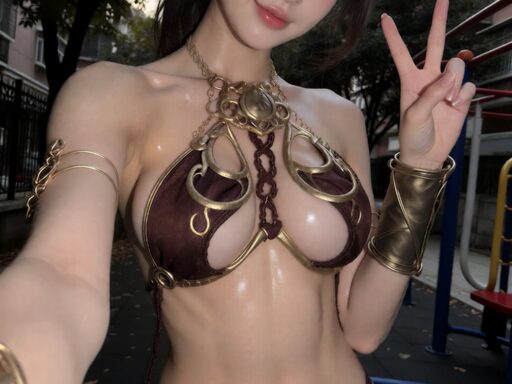
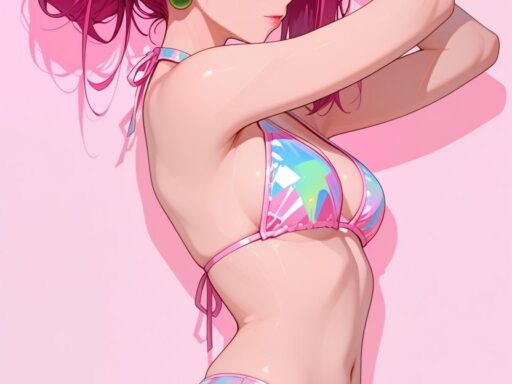
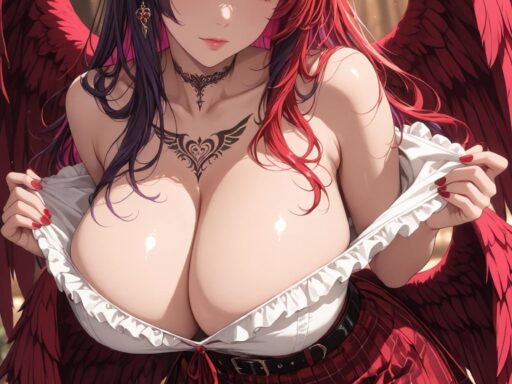
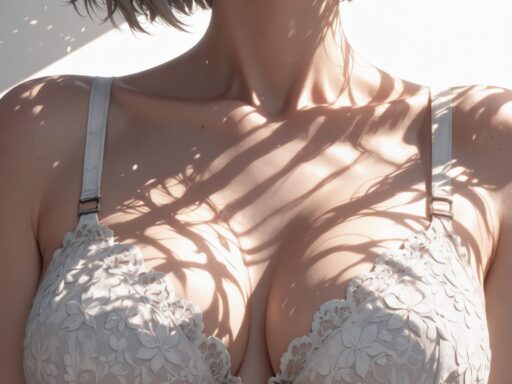
Each image below was generated using the techniques in this guide on a Flux backend. Hover or tap to read the prompt notes.
Related guides:
AI Image Generator from Text NSFW: The Nexus of Technology and Ethics
Best Uncensored AI Image Generators 2026: Tested and Free
How to Create AI Adult Content: Complete Guide
Best NSFW AI Prompts 2026: Complete Guide With Examples