
Free NSFW Anime AI Image Generator 2026
Meta description: Learn how to use a free NSFW anime AI image generator in 2026 with better tag prompts, model choices, negative prompts, gallery planning, and quality checks.
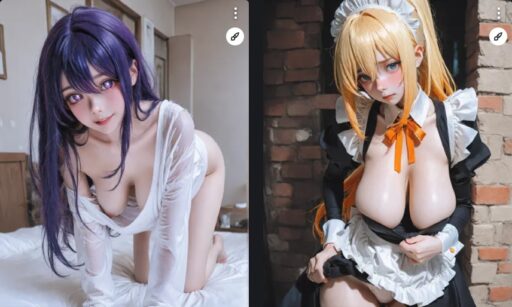
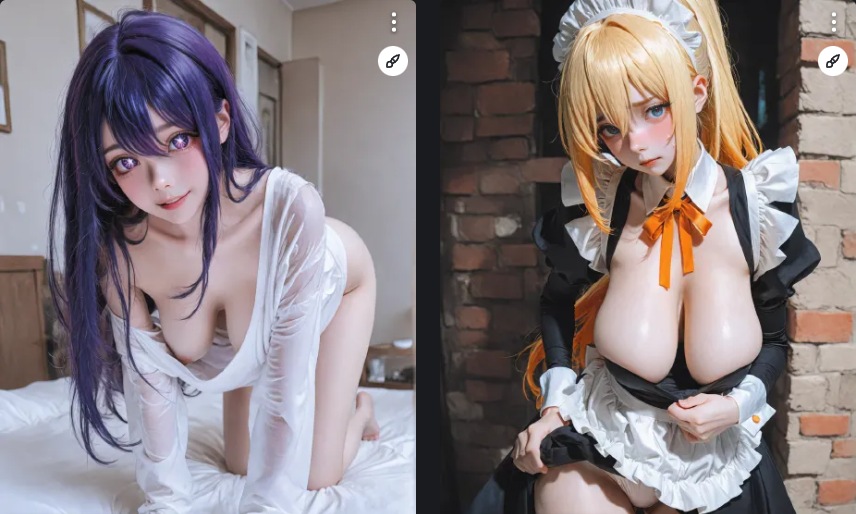
A free NSFW anime AI image generator can be useful for character ideas, fantasy art, visual novel concepts, story covers, and prompt testing. The best results usually come from anime trained models, clear tag prompts, and small batch selection.
This guide explains how to get better anime results in 2026. It covers prompt structure, style choices, negative prompts, character consistency, gallery creation, and common errors that make anime outputs look weak.
Choose an Anime Model
Anime images work best with models trained for anime and illustration. General photo models may create anime, but they often miss the line style, eyes, shading, and character types that anime users expect. Pony and Illustrious style models are common choices in adult anime workflows.
Model choice affects prompt style. Some anime models respond well to tag prompts. Others can handle natural language. If a model was trained on tag data, short visual tags may work better than full sentences.
Use Tag Based Prompts
A simple anime prompt can look like this:
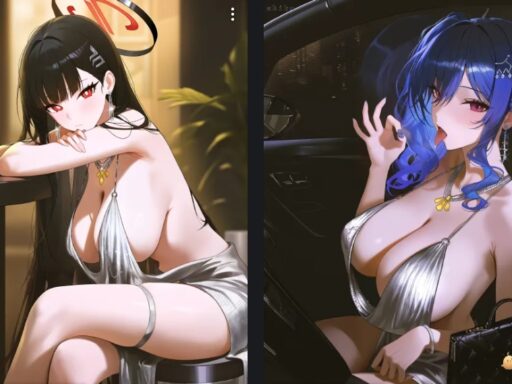
adult anime woman, long blue hair, red eyes, black dress, night city balcony, soft neon light, detailed eyes, clean line art, high quality illustration
Keep the prompt focused. Start with the subject, then add hair, eyes, clothing, setting, light, style, and quality. Do not mix too many art styles in one prompt.
Negative Prompts for Anime
A useful anime negative prompt is:
bad anatomy, low quality, blurry, bad eyes, extra fingers, missing fingers, deformed hands, watermark, text, censored, mosaic
Use this as a baseline. If the model often makes a specific problem, add a few targeted terms. Avoid copying very long negative lists before testing.
Generate a ai nsfw generator Gallery
For a gallery page, do not upload every generated image. Generate several options for each prompt, choose the best one, then record the prompt. A useful gallery should teach the reader what works. Add captions or notes if the site format allows them.
Good gallery categories include fantasy characters, modern anime portraits, visual novel sprites, cyberpunk scenes, soft lighting tests, and style comparisons. Each category should have a clear reason to exist.
Character Consistency
If you want the same anime character in many images, use a LoRA or reference image workflow. Prompting alone may work for simple traits, but it will not keep the same face across many seeds. A character LoRA is better for visual novels, comics, story art, and recurring gallery models.
Quality Checklist
hentai ai generator
| Check | What to look for |
|---|---|
| Eyes | Clean shape and matching style |
| Hands | No broken fingers |
| Line work | Clear and not muddy |
| Shading | Matches the chosen style |
| Background | Supports the character |
Common Mistakes
Do not use random tags that fight each other. Do not mix photo realism with flat anime unless that is the target. Do not ask for too many characters or complex actions in one beginner prompt. Do not ignore negative prompts when hands and eyes keep failing.
FAQ
Are free anime generators good enough?
They can be good for prompt testing and simple art. Paid or local tools may be better for high ai pussy volume work, privacy, and advanced control.
Should I use tags or sentences?
For many anime models, tags work better. Test both, but keep the style consistent.
How many images should I generate per prompt?
Try 3 to 6 images first. Select the best one and adjust the prompt based on what failed.
Conclusion
A free NSFW anime AI image generator works best when you use an anime model, clean tag prompts, short negative prompts, and careful selection. Save your best prompts and build galleries around clear styles, not random outputs.
Anime Style Variations
Anime is not one single style. A modern anime portrait, visual novel sprite, manga panel, soft pastel illustration, and cyberpunk anime scene all need different prompt words. Decide the style before generating. If you mix too many styles, the model may produce a weak middle result.
For modern anime, use clean line art, detailed eyes, soft shading, and high quality illustration. For manga, use monochrome, ink line, screentone, and panel style. For visual novels, use sprite framing, clean background, and consistent expression terms.
Prompt Examples
adult anime woman, short black hair, green eyes, white blouse, visual novel sprite, neutral expression, clean white background, high quality line art
adult anime character, silver hair, blue eyes, cyberpunk rooftop, neon city lights, night scene, detailed eyes, clean line art, dramatic shading
adult anime woman, fantasy outfit, warm tavern background, soft candle light, detailed hair, high quality illustration, painterly anime style
Building a Gallery Page
A gallery page should not be only images. Add short notes that explain the prompt style, model type, and what each image shows. Readers want to learn how to create similar results. Search engines also need text to understand the page topic.
If images are present, use descriptive alt text. Describe the anime style, subject, and setting. Do not stuff keywords into every alt tag. Keep it natural and useful.
Common Anime Problems
Anime models can fail with hands, eyes, complex clothing, and crowded scenes. Start simple. One character, one setting, one style. Add complexity only after the base output is stable.
If the model creates censor bars or unwanted mosaic effects, use a negative prompt that includes censored and mosaic. If faces look flat, add detailed eyes, clean line art, and better lighting words.
Anime Character Sheet Workflow
For repeat anime characters, write a small character sheet. Include hair, eyes, outfit style, body type, mood, and color palette. Keep this identity block at the start of every prompt. Change only the scene and lighting words.
If the character must appear many times, use a LoRA or reference image workflow. Free generators can create strong single images, but consistency across many scenes usually needs extra control.
Free Tool Limits
Free tools may have queues, lower image size, limited private storage, or fewer editing tools. They are still useful for testing ideas. For final project work, you may need a paid tool or local setup with better control.
Save your best prompts and seeds when a free tool gives a good result. Free platforms can change models or settings, so saved details help you recreate the look elsewhere if needed.