
Realistic NSFW AI Image Generator Examples 2026
Meta description: Learn how to create realistic NSFW AI images in 2026 with better camera prompts, lighting, backgrounds, texture, negative prompts, and quality checks.
Realistic NSFW AI images need more than a subject prompt. They need believable light, natural skin texture, a real setting, stable anatomy, and small details that make the image feel grounded. Without those details, the result can look glossy, plastic, or clearly artificial.
This guide explains how realistic NSFW AI images are made in 2026. It focuses on prompt structure, camera words, lighting, backgrounds, negative prompts, editing, and quality review. It is useful for readers who want examples they can learn from, not just a gallery of finished images.
What Makes an Image Look Real
Realism comes from many small signals. Skin should not look like wax. Faces should not be perfectly symmetrical. Backgrounds should have real objects. Lighting should make sense. Hands and eyes should be checked carefully. A realistic image is not only sharp; it must feel possible.
AI images often fail because they are too clean. Real photos have texture, uneven light, slight asymmetry, and small background details. Prompting for those details can help.
Camera Prompt Formula
Use this formula for realistic images:
adult subject, real setting, camera style, lens feel, lighting, texture details, quality target
A sample prompt:
adult woman, realistic portrait, cozy apartment room, soft window light from the left, 85mm lens look, shallow depth of field, natural skin texture, sharp focus, candid photo style
This tells the model what kind of image to make. It also gives the model real photography clues instead of vague praise.
Lighting Tips
Lighting is one of the fastest ways to improve realism. Soft window light, warm lamp light, golden hour light, bathroom mirror light, studio side light, and cloudy daylight all create different moods. A prompt that says good lighting is weaker than a prompt that says where the light comes from.
Keep the light believable. If the subject is in a small bedroom, soft lamp light makes more sense than dramatic outdoor sun. If the background is a bathroom mirror, overhead light or side light may fit better.
Backgrounds and Setting
Empty backgrounds make AI images look fake. Add simple real settings: apartment bedroom, hotel room, cafe corner, gym locker room, beach house, studio wall, bathroom mirror, or city balcony. Add only enough detail to make the scene believable.
Do not overload the background. Too many objects can create messy artifacts. A few clear setting details are better than a long list of props.
Negative Prompt for Realism
A useful realism negative prompt is:
plastic skin, over smoothed, doll face, blurry, low quality, bad anatomy, extra fingers, distorted face, watermark, text
If the image looks clothes remover fake, improve both positive and negative prompts. Add natural texture in the positive prompt and remove plastic skin in the negative prompt.
Example Categories
| Example type | Prompt focus | Quality check |
|---|---|---|
| Portrait | Face, light, lens | Eyes and skin texture |
| Bedroom scene | Room detail and mood | Natural ai nude generator shadows |
| Mirror shot | Reflection and camera angle | Face and hand logic |
| Outdoor scene | Daylight and background | Consistent light |
| Creator style image | Brand look and pose | Identity stability |
Editing Realistic Images
Realistic images often need inpainting. Fix the face, hands, clothing edge, or background object instead of regenerating the full image. Use moderate denoising so the repair blends with the original.
Upscale only after the main problems are fixed. Upscaling a bad face or broken hand makes the problem more visible.
Quality Checklist
Before using a realistic image, check the eyes, teeth, hands, skin, background objects, shadows, and edges. Also view the image at small size. If it looks fake as a thumbnail, it may not work well on a website or gallery page.
SEO Use for Example Pages
If you publish a realistic NSFW AI image example page, add helpful text around the examples. Explain the model style, prompt structure, and quality checks. Use descriptive image alt text if images are present. Link to prompt guides, negative prompt guides, and inpainting tutorials.
FAQ
Why do realistic AI images look plastic?
The prompt may lack texture and real lighting. Add natural skin texture, real room details, and use negatives like plastic skin or over smoothed.
How many images should I generate per idea?
Generate 3 to 8 images, choose the best, and edit it. Do not expect every roll to be usable.
What matters most for realism?
Lighting, skin texture, background detail, and face quality matter most. A sharp image can still look fake if those parts fail.
Conclusion
Realistic NSFW AI images improve when the prompt uses real photo language, clear lighting, believable settings, and focused negative prompts. Select carefully, fix small issues with inpainting, and judge the image by whether it feels possible, not only whether it is high resolution.
Realistic Prompt Templates
Soft Indoor Portrait
adult woman, realistic portrait, soft window light, cozy apartment bedroom, natural skin texture, 85mm lens look, shallow depth of field, candid photo style
Warm Hotel Room Scene
adult subject, realistic photo, warm hotel room, soft lamp light, natural shadows, relaxed pose, detailed background, sharp focus
Outdoor Golden Hour
adult subject, realistic outdoor portrait, golden hour light, beach house background, natural skin texture, soft shadows, candid camera angle
How to Curate Realistic Examples
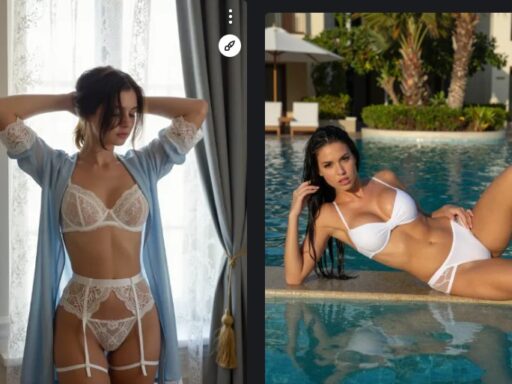
Do not publish every generation. A strong examples page should show selected images that teach something. Group images by lighting, camera style, setting, or prompt technique. Add short captions explaining why the example works.
If an image has good lighting but weak hands, fix it before publishing or do not use it. Realistic images are judged harshly because small errors are easy to see.
Realism Editing Checklist
After choosing a candidate image, inspect it at full size. Check the face, hands, teeth, hairline, fingers, background objects, and shadows. Then view it as a thumbnail. If it works in both views, it is much more useful for a website or gallery.
Use inpainting for local fixes. Use upscaling after fixes. Use color correction only if it improves the whole image. Too much sharpening or smoothing can make the picture look less real.
SEO Notes for Example Galleries
Example gallery pages need written context. Add prompt notes, model notes, quality checks, and links to prompt or negative prompt guides. This turns a simple gallery into a useful resource that can rank for informational searches.
Model Choice for Realism
Different models create different kinds of realism. Some produce glossy studio images. Some create more candid photos. Some handle skin texture well but struggle with hands. Test the same prompt across models before choosing one for a full gallery.
For a website, consistency matters. If all examples use the same model family and prompt style, the gallery feels more intentional. If every image looks like it came from a different tool, the page can feel random.
Realistic Image Safety Review
Realistic adult images need careful review. Do not use real person likeness without permission. Avoid unclear age wording. Do not publish images that break the rules of the platform or host. Realistic style can create higher trust and higher risk, so review before publishing.
Prompt Testing for Realistic Sets
When building a realistic example set, test one prompt across several seeds before changing it. This shows whether the prompt is stable or only produced one lucky image. A strong prompt should create several usable images with the same general style.
Save the best seed and settings for each example. This makes the page easier to update and helps readers understand how the image was made.