
NSFW AI Story Writer Tools 2026
Meta description: A practical 2026 guide for adult story writers using NSFW AI tools for character art, scene images, covers, story planning, and visual consistency.
Adult story writers use NSFW AI tools in a different way from casual image creators. A casual user may only need one interesting image. A writer often needs the same character across many scenes, images that match the chapter mood, cover art that fits the story, and reference images that help readers remember the cast.
This guide explains a full workflow for writers. It covers character setup, prompt planning, image generation, inpainting, cover creation, privacy, and how to keep the writing as the center of the project. The goal is not to replace the story. The goal is to use AI images to support the story in a clear and useful way.
Start With the Story Goal
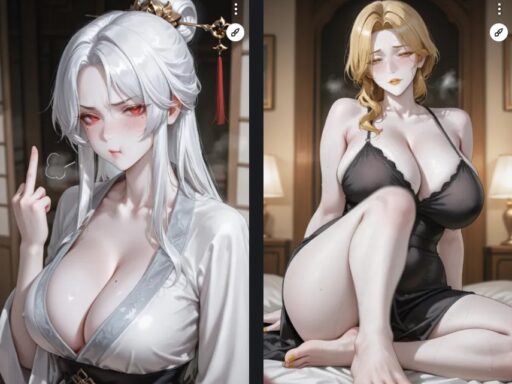
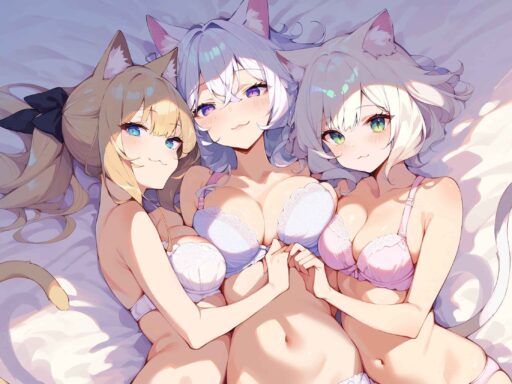
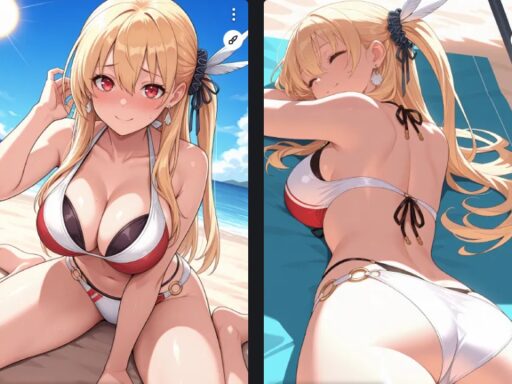
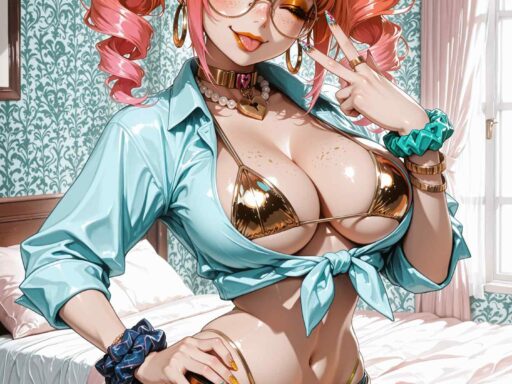
Before opening an image generator, decide what the image should do. A cover image should attract a click. A character portrait should help the reader understand a person. A chapter image should set the mood. A private reference image may help the writer plan scenes but may never be published.
This matters because each image type needs a different prompt. A cover needs strong composition and readable space for text. A character portrait needs a stable face and outfit. A scene image needs setting, light, action, and emotional tone.
Create a Character System
For recurring characters, write a short visual profile. Include age safe adult wording, hair, eye color, body type, clothing style, usual mood, and story role. Keep this profile in a notes file so you can reuse it in every prompt.
After that, generate 20 to 30 test images and save only the best ones. These can become a reference set. If the character is central to a long story, use the best reference images to train a LoRA or use a reference image workflow. This gives better consistency than text alone.
Use Prompt Layers for Story Scenes
A strong story prompt has layers. This makes it easier to control the result and update one part without breaking the whole image.
character layer, setting layer, action layer, emotion layer, camera layer, quality layer
The character layer keeps identity stable. The setting layer tells the model where the scene happens. The action layer describes what is happening in safe, clear terms. The emotion layer adds mood. The camera layer controls close-up, full body, wide shot, or cover style.
Match Images to Chapter Mood
Story images should match the chapter, not fight it. A quiet chapter may need soft light and a close composition. A dramatic chapter may need stronger shadows, a wide frame, or a more tense pose. The image should feel like part of the same world as the text.
Writers should avoid adding images only because they look flashy. If the image does not support character, setting, or mood, it can distract the reader. Choose fewer strong images instead of filling every page with unrelated visuals.
Cover Art Workflow
A cover image has a different job from a normal scene. It must be clear at small size, have a strong focal point, and leave space for the title. For SEO and click-through rate, the cover should also match the promise of the page or story category.
Generate several cover concepts. Test portrait and square versions if the platform uses thumbnails. Avoid busy backgrounds behind title text. Keep the main character or visual hook large enough to read on mobile.
Inpainting for Story Images
Inpainting is valuable for writers because it keeps a good scene while fixing small problems. If the face is almost right, inpaint the face. If the hand is wrong, mask only the hand. If a background object breaks the mood, replace only that area.
This is faster than regenerating the whole image. It also keeps the composition stable, which is important when you are trying to match a specific written scene.
Recommended Asset Plan
| Asset type | Purpose | Suggested count |
|---|---|---|
| Main character portraits | Reader memory | 3 to 6 per character |
| Cover concepts | Click appeal | 5 to 10 drafts |
| Chapter scenes | Mood support | 1 per key chapter |
| Reference sheet | Internal planning | 1 per main character |
| Promo images | Social or listing use | 3 to 5 per story |
Privacy and Rights
Do not upload private or non-consensual reference photos to a cloud tool. Do not create images of real people without permission. If you publish AI art with a story, check the rules of the platform and disclose AI use when required.
Writers should also check commercial rights. Some tools allow personal use but limit commercial publishing. If the image will appear on a paid story, sales page, cover, or subscriber content, read the license first.
SEO Tips for Story Pages
Use the article title, story category, and visual keywords in the page title and headings. Add alt text if images are placed on a website. Keep the image file names clear. For example, a cover image file name should describe the story type and main visual, not use a random download name.
Good internal links also help. Link from a character art guide to a LoRA guide, from a cover art guide to a prompt guide, and from a story workflow page to inpainting or upscaling tutorials.
FAQ
Should writers train a LoRA?
For one short story, maybe not. For a long series with recurring characters, a LoRA can save time and improve consistency.
Can AI images replace cover design?
AI can create the artwork, but cover design still needs layout, title placement, contrast, and mobile readability.
How many images should a story include?
Use images where they add value. A few strong images are better than many weak or unrelated ones.
Conclusion
The best NSFW AI workflow for adult story writers starts with the story, not the tool. Build stable characters, use prompt layers, edit the best images, and keep each visual tied to a clear purpose. When AI supports the story instead of distracting from it, the result feels more professional and more useful for readers.
Character Bible for Writers
A character bible is a simple document that stores the visual rules for each person in the story. It should include the character name, age safe adult description, hair, eyes, body type, usual clothing, mood, color palette, and key visual symbols. This keeps prompts stable across chapters.
For long stories, add one reference image and one approved prompt for each main character. If the character changes during the story, create version notes. For example, chapter one outfit, chapter five formal outfit, or final chapter hairstyle. This makes the image workflow follow the plot instead of fighting it.
Scene Planning Worksheet
Before generating a chapter image, answer five questions. Who is in the scene? Where does it happen? What emotion should the reader feel? What visual detail matters most? Will this image be public, private, cover art, or subscriber content?
This worksheet prevents random images. It also helps the prompt stay close to the written scene. If the scene is quiet and emotional, the image should not look hentai ai generator like an action poster. If the scene is used as a cover, the composition must work at small thumbnail size.
Using AI Without Weakening the Story
AI images can make a page more attractive, but they can also reduce trust if they feel unrelated. Writers should treat images as part of the reading experience. Every published image should help with character memory, setting, mood, or marketing.
Do not let the generator decide the story. If an image looks good but changes the character, scene, or tone, either edit it or reject it. The story outline should control the image workflow, not the other way around.
Image Placement for SEO
On a website, place images near the text they support. A character portrait belongs near the character introduction. A cover concept belongs near the story overview. ai slut A scene image belongs near the chapter or scene explanation. This helps readers and search engines understand why the image is on the page.
Use descriptive file names and alt text. Avoid generic names like image1.png. A better file name describes the character, style, or chapter use. This improves media organization and can support image search visibility.
Workflow for Serial Writers
Serial writers need repeatable speed. Create a weekly image workflow: update the chapter outline, choose the visual need, generate draft images, select the best, inpaint errors, export final files, and save the prompt. Do this in the same order each time.
A repeatable workflow saves time and reduces style drift. It also makes it easier to train assistants, freelancers, or future tools because the process is documented.
Cover Image SEO and Click Appeal
For story websites, the cover image and title work together. The cover should show the genre, mood, and main character type without becoming too busy. The title should be readable and match the promise of the page. A strong cover can improve clicks from category pages, social previews, and internal recommendation blocks.
When generating cover concepts, leave space for title text. Avoid bright detail behind the title area. Test the cover at small size because many readers will first see it as a thumbnail. If the image does not read clearly at small size, it is not a strong cover.
Using AI for Continuity Notes
AI images can also help writers notice continuity problems. If a character has different hair, different eye color, or a different body type between chapter images, update the character bible or fix the prompt. Visual errors often reveal missing details in the written notes.
Writers can use a simple continuity table with columns for chapter, outfit, mood, location, and image prompt. This makes visual planning part of the story workflow instead of a separate guessing process.
Reader Experience
Images should support reading speed. If every paragraph is interrupted by a large image, the story can feel broken. Use images at key moments and keep the page layout clean. The reader should feel that the images add mood, not that they are blocking the text.
For long stories, place images at chapter openings, character reveals, or important scene changes. This gives the visuals a purpose and keeps the page easier to read.
When visuals have a clear story purpose, they support SEO and reader experience at the same time. The article becomes more useful, not only more decorated.
Final Workflow for Writers
The best weekly workflow is simple: write the chapter first, choose the scene that needs an image, prepare the character prompt, generate drafts, edit the best image, and save the prompt. This keeps the story in control.
When the image workflow follows the writing workflow, the final page feels more coherent. Readers can enjoy the story without feeling that the visuals were added at random.
For SEO, useful visuals can support longer reading time because they help the story instead of interrupting it.
The strongest story pages use images as part of the reading path, not as decoration after the fact.
This keeps the article helpful for both readers and search engines.
That is the goal.
Plan first.